

- Two official ways to get it: the Manakonline web portal or the BIS Care mobile app — no other source is authentic.
- You need your CM/L number (ISI Mark) or R-number (CRS) handy before you start; both appear on your original grant letter.
- Since the 25 February 2026 amendment, most BIS licenses (ISI Mark and CRS) run for 5 years instead of 1-2, though fees are still paid annually.
- Consumers and buyers can only verify a certificate's authenticity online; only the licence holder can download the actual PDF.
Introduction
How to download BIS certificate online, log in to the official Manakonline portal with your registered credentials, open your Dashboard, find your approved license under "My Applications" or "Licensed Products," and click the download link next to it to save the certificate as a PDF. Manufacturers can also fetch it through the BIS Care app under "Licensed Products" using their CM/L or R-number. If you can't log in, use the "Forgot Password" option or contact your BIS branch office. Consumers can verify (not download) a license for free using the BIS Care app or the BIS website.

If you've just cleared BIS testing and factory inspection, or you're renewing an old license, getting the actual certificate file in hand is the last step of the process — and it trips people up more than it should. This guide walks through exactly where to log in, what you'll need on hand, and what to do when the download button doesn't behave. It also covers the parts people usually search for right after: validity, renewal timelines, fees, and what happens if your certification lapses.
What Is a BIS Certificate?
A BIS certificate is an official document issued by the Bureau of Indian Standards — the national standards body functioning under India's Ministry of Consumer Affairs, Food and Public Distribution — confirming that a specific product, made at a specific factory, has been tested and found to meet the relevant Indian Standard (IS). It's the paperwork behind the ISI mark or CRS registration number you see printed on packaging.
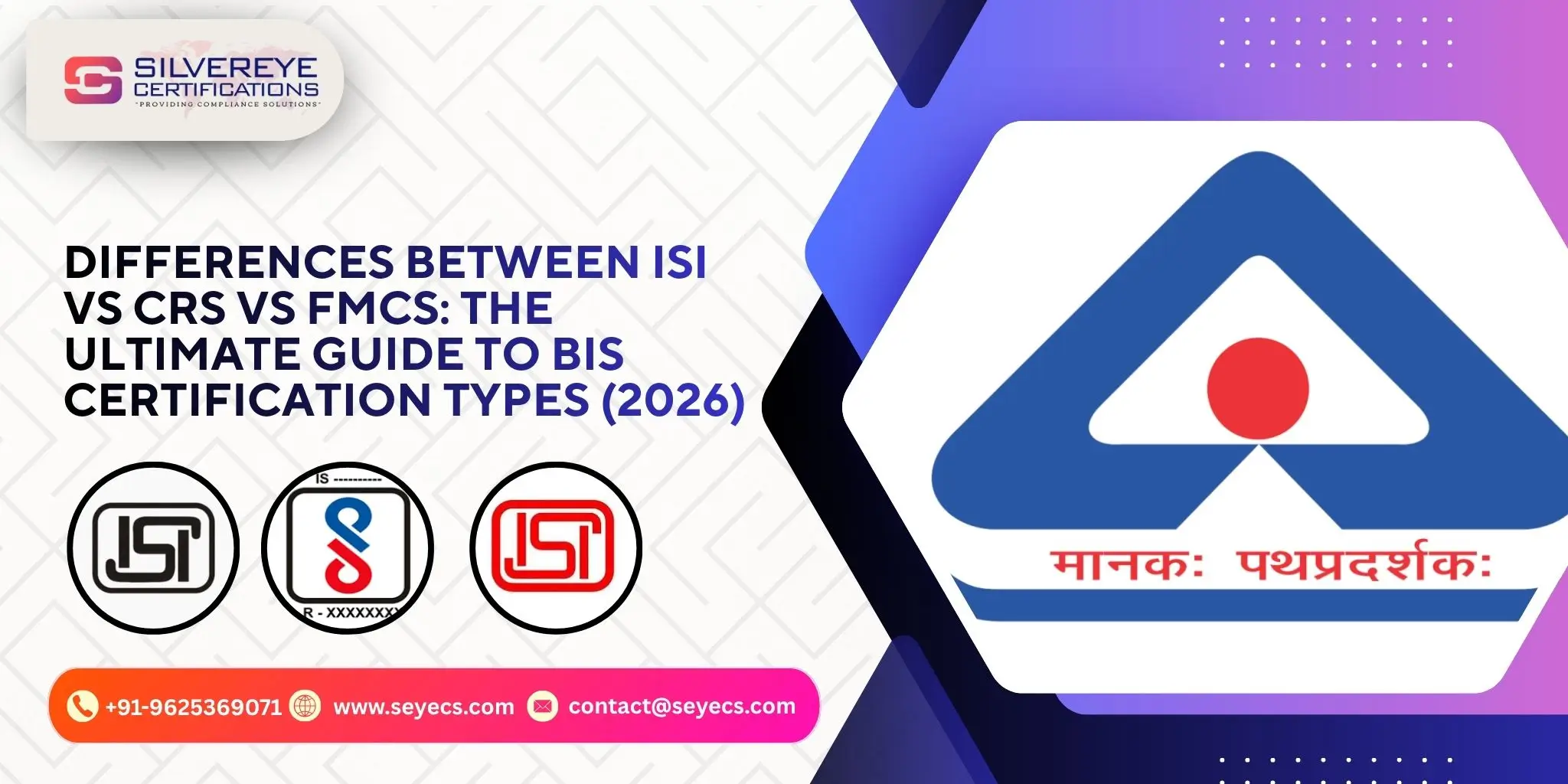
Depending on the product category and the exporter or manufacturer's situation, the certificate falls under one of a few schemes:
- ISI Mark (Scheme-I) — For products like cement, steel, electrical appliances, and food items where BIS conducts factory audits and ongoing surveillance.
- CRS – Compulsory Registration Scheme (Scheme-II) — Mainly for electronics and IT hardware such as chargers, power banks, and laptops.
- FMCS – Foreign Manufacturers Certification Scheme — For overseas manufacturers exporting to India, applied through an Authorized Indian Representative (AIR).
- Hallmarking — For gold and silver jewellery, verified separately through the HUID system rather than the Manakonline portal.
Why You Might Need how to Download BIS Certificate
A digital copy isn't just a formality. Manufacturers and importers typically need it on hand for:
- Customs clearance — ports and clearing agents ask for the certificate before releasing consignments.
- Government tenders and procurement — most public-sector buyers make BIS compliance a mandatory eligibility document.
- Retailer and e-commerce onboarding — marketplaces increasingly ask sellers to upload proof of BIS compliance for notified product categories.
- Audits and inspections — having a downloadable, verifiable PDF avoids delays when a BIS officer or auditor asks for proof.
- Business dealings — banks, distributors, and B2B buyers often request it during due diligence.
Who Can Download a BIS Certificate?
Only the entity the license was actually issued to can download the certificate itself — this means the manufacturer, or the Authorised Indian Representative acting on behalf of a foreign manufacturer under FMCS. You'll need an active, registered Manakonline account linked to your BIS application. If you never created one during the application stage, you can't skip ahead to download; registration on the portal happens as part of applying, not afterward.
Consumers, retailers, and buyers who simply want to confirm a product is genuinely BIS-certified don't need a Manakonline login at all — that's a separate, public verification process covered further down.
What You Need Before You Start
Keep these on hand so the download doesn't stall halfway through:
- Your registered Manakonline email ID and password (or your BIS Care app login)
- Your CM/L number (a 7-digit code for ISI-marked products) or R-number (an 8-digit code for CRS-registered electronics)
- The Indian Standard (IS) number your product was certified against, if you're managing multiple SKUs
- A stable internet connection and a PDF reader, since certificates download as PDF files
Step-by-Step: Download Your BIS Certificate via the Manakonline Portal
- Go to the official BIS portal at www.manakonline.in — this is the only web platform BIS uses for licence management, so bookmark it and avoid third-party "BIS certificate" sites.
- Log in using your registered email ID and password. First-time applicants need to complete registration on the portal before they'll see any dashboard data.
- Once logged in, open the Dashboard. This is where every application you've submitted — pending, under review, or approved — is listed.
- Locate the specific licence or registration number you need using your CM/L or R-number as a reference.
- Click the "Download Certificate" or similar link next to the approved licence. It should generate a PDF version of your certificate.
- Save the file somewhere secure — your compliance folder, a shared company drive, or wherever your team keeps regulatory documents — and keep a backup copy.
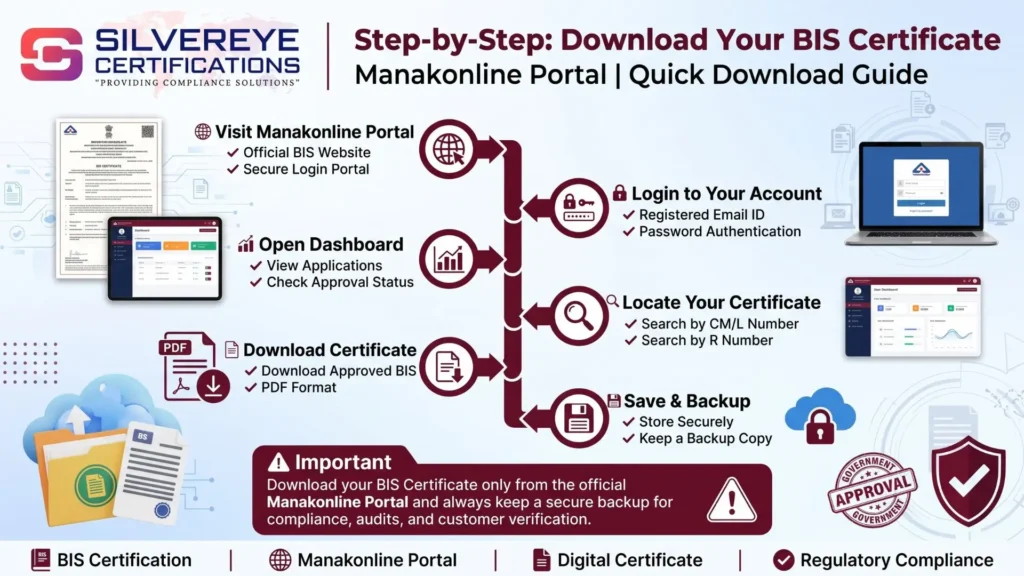
The certificate only becomes downloadable once BIS marks your application "Granted" or "Approved." If your status still shows "Under Testing," "Under Review," or "Pending Inspection," there's nothing to download yet — that part of the process (sample testing, factory audit) needs to finish first.
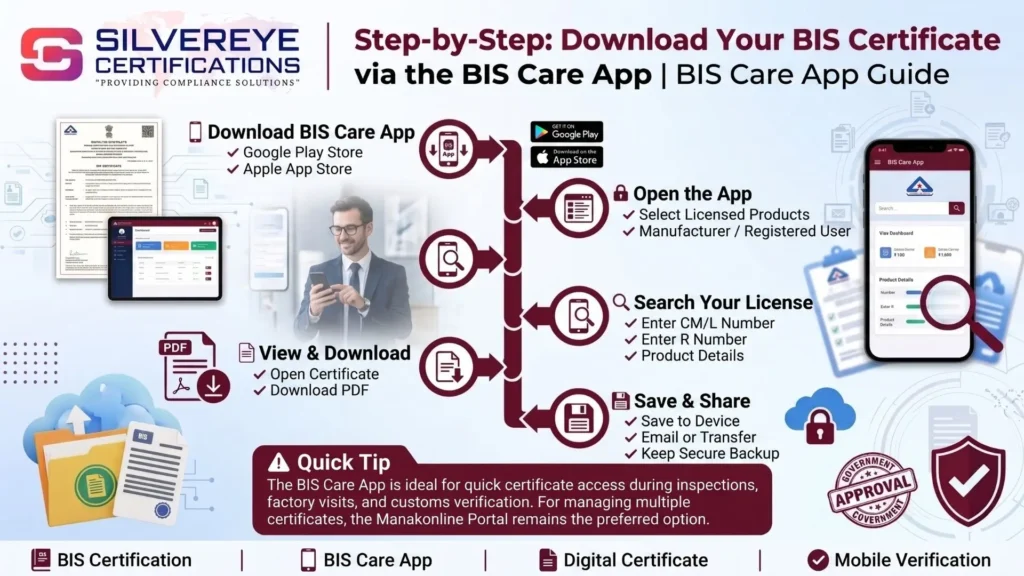
Step-by-Step: Download Your BIS Certificate via the BIS Care App
- Download the "BIS Care" app from the Google Play Store or Apple App Store.
- Open the app and select "Licensed Products" or the manufacturer/registered-user section (rather than the general consumer-verification option).
- Enter your CM/L number, R-number, or product details to pull up your specific licence.
- Once the record loads, look for the "View" or "Download" option attached to it.
- Save the PDF to your phone, then transfer or email it to your records if you need it on a desktop.
The app is genuinely useful for quick, on-the-go access — during a customs check or a factory visit, for instance — but for bulk downloads across multiple SKUs, the Manakonline web portal is faster and easier to manage.
How to Verify a BIS Certificate Online (Without Downloading It)
If you're a buyer, retailer, or consumer and simply want to confirm a product's BIS certification is real, you don't need portal access at all:
- Open the BIS Care app and select "Verify License Details" for ISI or CRS-marked products, or "Verify HUID" for hallmarked jewellery.
- Alternatively, go to the official BIS website (www.bis.gov.in) and use the public licence-verification tool.
- Enter the licence number, CM/L or R-number, or manufacturer name printed on the product or packaging.
- The tool will show the scheme, validity dates, and current status — active, suspended, or expired — but won't hand you a downloadable certificate copy.
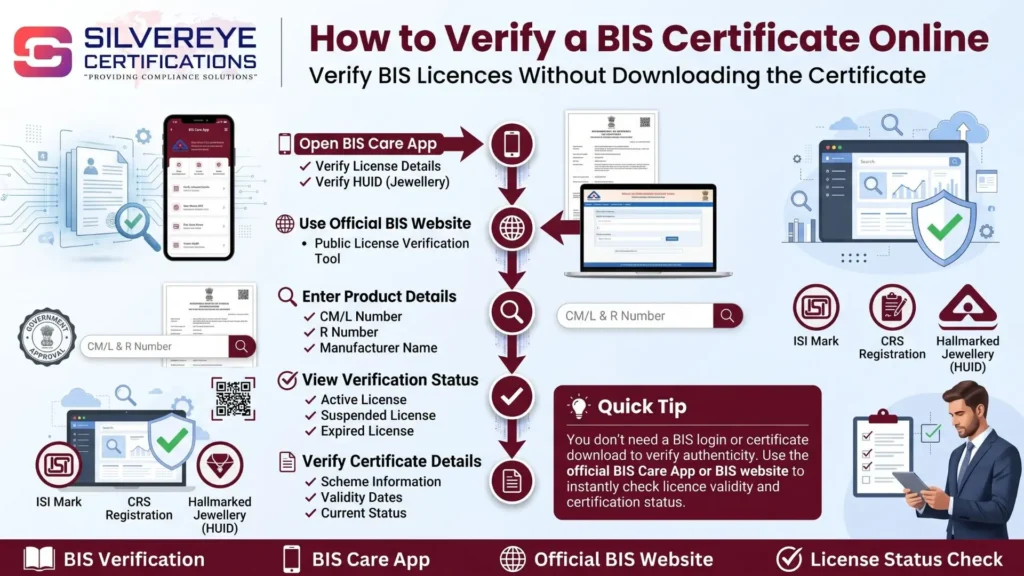
This distinction matters: verification confirms authenticity for anyone; downloading the actual certificate file is restricted to the licence holder's own account.
BIS Certification Schemes at a Glance
| Scheme | Typically Covers | Mark / ID | Validity (2026) | Portal Used |
| ISI Mark (Scheme-I) | Cement, steel, appliances, food items, cylinders | ISI mark + CM/L number (7-digit) | Up to 5 years, annual fee | Manakonline |
| CRS (Scheme-II) | Electronics & IT hardware (chargers, laptops, power banks) | CRS logo + R-number (8-digit) | Up to 5 years, annual fee | Manakonline |
| FMCS | Foreign manufacturers exporting to India | ISI mark via Authorised Indian Rep. | Varies by product/scheme | Manakonline |
| Hallmarking | Gold & silver jewellery | HUID (unique per piece) | Assessed per BIS hallmarking rules | BIS Care app / HUID portal |
BIS Certificate Fees (Approximate, 2026)
Government fees vary by product, scheme, and number of models under one licence. These figures are meant as a general planning reference, not a quote — always confirm the exact fee on the official BIS fee schedule for your specific product category.
| Scheme | Typical Fee Range | Notes |
| ISI Mark | ₹1,000 application fee + testing & marking charges | MSMEs may get concessions of up to 80% on fees |
| CRS Registration | Roughly ₹28,000 + GST per product (government fee) | Same rate generally applies at renewal |
| FMCS | Higher than domestic schemes | Includes overseas factory audit costs |
BIS Certificate Validity & Renewal Timeline
This is where things changed meaningfully in 2026, and it's worth knowing if your certificate is older than that. Under the amendment to the BIS (Conformity Assessment) Regulations dated 25 February 2026, license validity under both ISI Mark (Scheme-II provisions) and CRS was extended from the earlier 1-2 year cycle to a maximum of 5 years — for both fresh licenses and renewals. Fees, however, still have to be paid every year in advance, along with your production data, to keep the license active during that 5-year window.
In practice, that means:
- New ISI Mark and CRS licenses are now generally granted for up to 5 years instead of 1-2.
- Renewal, when it comes due, can also be requested for a further 5-year period.
- You still need to pay the annual fee and submit production details each year, even mid-cycle, or the licence can lapse.
- Apply for renewal before your certificate's expiry date — a lapsed licence means you legally can't use the ISI mark or CRS registration on your products until it's reinstated.
If you're unsure which validity rule applies to your specific licence — the old cycle or the new 5-year one — check the expiry date printed directly on your certificate or your Manakonline dashboard status; that's the authoritative source for your account.
Common Problems While Downloading (And Quick Fixes)
Can't log in to Manakonline
- Double-check you're using the email ID registered at the time of application, not a personal or alternate one.
- Use "Forgot Password" to reset credentials rather than repeatedly guessing — accounts can lock after multiple failed attempts.
- If the account itself seems missing, contact your regional BIS office; portal migrations occasionally require re-linking older applications.
Download button is missing or greyed out
- Confirm your application status actually shows "Granted" — nothing is downloadable before that stage.
- Clear your browser cache or try a different browser; the portal's PDF generation can be inconsistent on outdated browser versions.
Certificate looks incomplete or details are wrong
- Don't self-edit a downloaded PDF. Raise a correction request with your BIS branch office if the licence number, product description, or address is wrong.
BIS Care app not showing your license
- Re-check the CM/L or R-number for typos — a single digit off returns no result.
- Make sure you're searching under "Licensed Products," not the general consumer search, if you're the manufacturer.
What Happens If You Skip Certification or Let It Lapse
Selling a product that falls under a mandatory Quality Control Order (QCO) without valid BIS certification isn't a paperwork risk — it's a legal one. Depending on the scheme and product, non-compliance can lead to financial penalties, product seizure at customs or in the market, and in serious or repeat cases, imprisonment under the BIS Act, 2016. Exact fine amounts and jail terms differ by scheme and offence category, so it's worth checking the specific QCO notification for your product rather than assuming a flat penalty applies across the board.
The safer, cheaper approach is simply staying ahead of your renewal date — most of the businesses that end up in penalty territory got there because a licence quietly expired, not because they were ever denied certification.
Quick Checklist Before You Download
- Application status shows "Granted" or "Approved" on Manakonline
- You have your CM/L or R-number ready
- Your Manakonline login credentials are current and working
- You know whether you need the licence holder's download or just public verification
- You've noted the expiry date so renewal isn't a last-minute scramble
Conclusion
Downloading your BIS certificate is genuinely the easy part of this whole process — the real work happens earlier, in testing and factory inspection. Once your license shows as granted, it's a two-minute job through Manakonline or the BIS Care app. The part worth actually paying attention to is the calendar: with validity now stretching up to 5 years under the 2026 rules, it's easy to forget that annual fees and production reporting still keep the clock running underneath. Set a reminder well before your expiry date, keep your CM/L or R-number saved somewhere easy to find, and you'll rarely need to think about this again until renewal comes around.
Frequently Asked Questions
Is downloading a BIS certificate free?
Yes. Once your licence is granted, downloading the PDF from Manakonline or the BIS Care app doesn't cost anything extra — you've already paid the application and certification fees earlier in the process.
Can I download my BIS certificate without logging into Manakonline?
No. Downloading the actual certificate requires your registered Manakonline account or the BIS Care app login linked to your licence. Public users can only verify a licence, not download it
What if I've forgotten my Manakonline password?
Use the "Forgot Password" link on the login page to reset it via your registered email. If that email is no longer accessible, you'll need to contact your regional BIS office directly to regain access.
How long does it take to get a BIS certificate after applying?
Timelines vary by scheme and product, but factoring in sample testing and factory inspection, many applications take somewhere in the range of 30-45 working days from a complete application to grant
Is BIS certification the same thing as the ISI mark?
The ISI mark is one specific BIS scheme (Scheme-I), used for products like cement, appliances, and steel. "BIS certification" is the broader umbrella term that also covers CRS, FMCS, and hallmarking.
Can a foreign manufacturer download their BIS certificate directly?
Not directly. Foreign manufacturers apply and manage their licence through an Authorised Indian Representative (AIR) under the FMCS scheme, and the AIR typically handles portal access and downloads on their behalf.
How do I know if my product needs mandatory BIS certification?
Check whether your product category falls under an active Quality Control Order (QCO) on the official BIS website. If it does, certification isn't optional — selling it without a valid licence is a compliance violation.
What's the difference between a CM/L number and an R-number?
A CM/L number is a 7-digit identifier issued for ISI Mark (Scheme-I) licences. An R-number is an 8-digit identifier issued for CRS (Scheme-II) registrations. Both are printed on your certificate and product marking.
Can consumers download a BIS certificate, or only verify it?
Consumers and retailers can only verify a licence's authenticity and status through the BIS Care app or BIS website. Only the certificate holder can download the actual PDF from their own account.
What happens if my BIS certificate expires before I renew it?
A lapsed licence means you can no longer legally use the ISI mark or CRS registration on your product until renewal is approved. Selling under an expired licence carries the same compliance risk as never having one.
Is the BIS Care app safe to use for downloading or verifying certificates?
Yes — it's the official BIS mobile app, available on Google Play and the Apple App Store. Just make sure you're downloading the genuine BIS Care app and not a similarly named third-party clone.
Can I download a BIS certificate on my phone without installing the app?
Yes. The Manakonline portal (www.manakonline.in) works in a mobile browser too — you don't strictly need the app, though the app is generally quicker for a one-off check or download on the go.