

- The entire DGFT Registration Process runs online at dgft.gov.in — no physical forms, no office visits.
- It has three core stages: account creation, filling Form ANF-2A, and digitally signing with a DSC or Aadhaar OTP.
- Once submitted and paid for, the e-IEC certificate is usually issued within 1 to 3 working days.
- After getting your IEC, you still need AD Code and ICEGATE registration before your first shipment can clear customs.
What Is the DGFT Registration Process?
The DGFT Registration Process is the online procedure for obtaining an Importer-Exporter Code (IEC) through the Directorate General of Foreign Trade's portal. It involves creating a user account with your PAN, email, and mobile number; filling out the prescribed application form known as ANF-2A with your business, address, and bank details; uploading supporting documents; paying a flat government fee of ₹500; and digitally signing the application using either a Class 3 Digital Signature Certificate or Aadhaar-based OTP.

Once submitted, DGFT typically verifies and issues the e-IEC certificate within 1 to 3 working days, after which it can be downloaded directly from your DGFT dashboard.
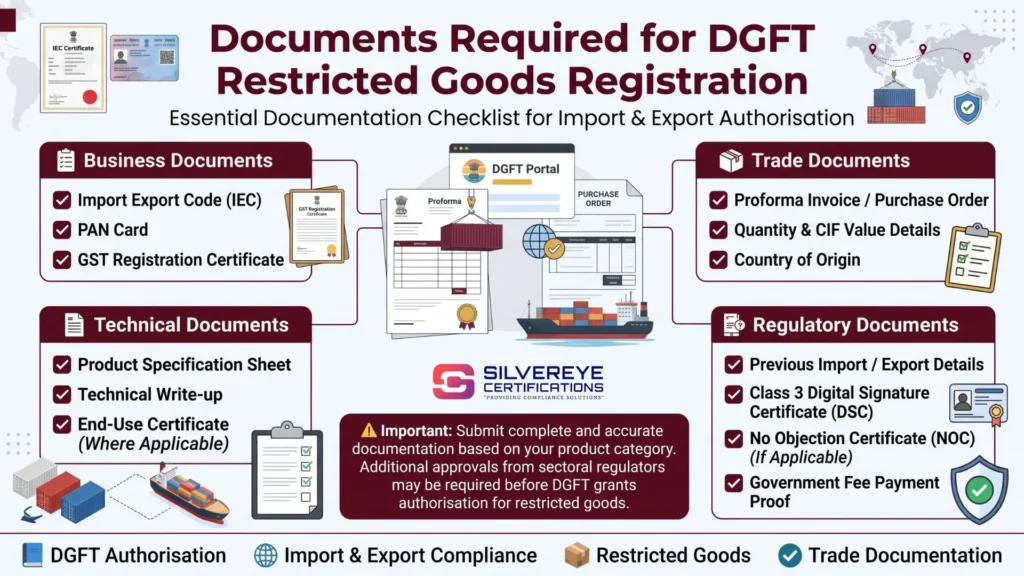
Documents Required Before Start The DFGT Registration Process
A smooth DGFT Registration Process starts with having these basics sorted before you even log in:
- A valid PAN card of the individual, firm, LLP, or company
- An active email ID and mobile number for OTP verification
- A current bank account in the entity's name, with a cancelled cheque or bank certificate
- Address proof of the business (not older than 2 months, if it's a utility bill)
- A Class 3 DSC (for companies, LLPs, and partnerships) — or an Aadhaar number linked to a mobile number if applying as a proprietor using e-Sign
Step-by-Step DGFT Registration Process
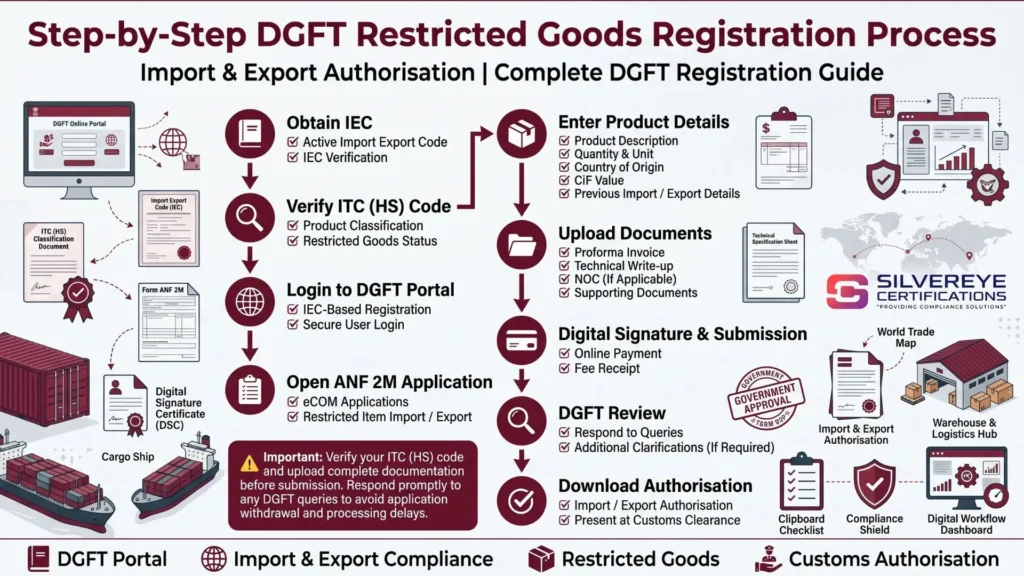
Step 1: Create Your DGFT Portal Account
Visit DGFT Portal and click on 'Register.' Choose 'Register as Importer/Exporter,' then enter your PAN, legal name (exactly as it appears on the PAN card), email address, and mobile number. The system sends OTPs to both your email and phone for verification.
Step 2: Set Up Login Credentials
Once your email and mobile are verified, set a secure password. This creates your permanent DGFT dashboard, which you'll use not just for this application but for every future update, amendment, or annual confirmation.
Step 3: Register Your DSC (If Applicable)
If you're applying as a company, LLP, or partnership, go to 'My Dashboard' and register your Class 3 Digital Signature Certificate before starting the application. Sole proprietors who plan to sign using Aadhaar-based OTP can skip this step entirely.
Step 4: Open and Fill Form ANF-2A
Log in and navigate to Services > IEC Profile Management > Apply for IEC. This opens the Aayaat Niryaat Form 2A (ANF-2A), the official application form. Some fields — like your name and PAN — auto-populate from your registration data. You'll need to manually complete:
- General information: entity type (proprietorship, partnership, LLP, company, etc.) and nature of business
- Registered office address, matching exactly with your uploaded address proof
- Details of proprietor, partners, directors, or Karta, as applicable
- Bank account details — account number and IFSC code of the entity's current account
- Branch addresses, if your business operates from more than one location
Step 5: Upload Supporting Documents
Upload scanned copies of your PAN card, identity proof, address proof, and bank certificate or cancelled cheque, along with the relevant constitution document (partnership deed, Certificate of Incorporation, etc.) in the file format and size limit specified on the portal — typically PDF or JPEG, self-attested.
Step 6: Pay the Government Fee
Proceed to the payment page and pay the flat government fee of ₹500 via net banking, UPI, debit card, or credit card through the integrated payment gateway. This is the only government fee involved — there's no separate stamp duty or processing charge. Keep the payment reference number for your records.
Step 7: Digitally Sign the Application
Sign off using either your registered Class 3 DSC or Aadhaar-based OTP e-Sign (entering the Aadhaar number of the authorised signatory and verifying via the OTP sent to the linked mobile number). This step legally authenticates your application.
Step 8: Submit and Track Your Application
Review every field carefully, then submit. Note your application reference number, which lets you track real-time status under 'Track Application Status' on the DGFT portal — useful if approval takes slightly longer than the standard window.
Step 9: Download Your e-IEC Certificate
Once DGFT verifies your details and documents, your e-IEC certificate becomes available for download directly from your dashboard — usually within 1 to 3 working days of submission. This digitally signed certificate carries your 10-digit IEC number, ready to be used on shipping bills, bills of entry, and trade payments.
DGFT Registration Process Timeline
| Stage | Typical Time Taken |
| Account creation & OTP verification | 5–10 minutes |
| Filling Form ANF-2A | 15–20 minutes |
| Document upload & fee payment | 5–10 minutes |
| DGFT verification & approval | 1–3 working days |
| Total (application to certificate) | Same day filing, 1–3 days approval |
What Happens After the DGFT Registration Process Is Complete
Getting your IEC is the first milestone, not the finish line. To actually start trading, most businesses also need to complete these follow-on steps:
- AD Code Registration: Link your bank's Authorized Dealer Code to your IEC at each port you plan to ship from — required for customs to process your shipping bills.
- ICEGATE Registration: Register on the Indian Customs Electronic Gateway using your IEC and DSC to file shipping bills and bills of entry electronically.
- GST LUT Filing: If exporting under a Letter of Undertaking for zero-rated supply, file your LUT on the GST portal.
- Export Promotion Council Membership: Depending on your product category, registering with the relevant council can unlock additional trade benefits and certificates of origin.
Process for Amending or Updating an Existing IEC
If your business address, bank account, or authorized signatory changes after registration, the amendment process follows the same portal: log in, go to 'Update/Modify IEC,' change the relevant field, upload the revised supporting document, and pay the ₹200 modification fee. Updated certificates are usually available for download within a similar 1–3 working day window.
The Annual Update Process (Don't Skip This)
Separate from amendments, DGFT requires every IEC holder to log in between April 1 and June 30 each year and simply confirm their profile details are current — even if nothing has changed. This step is free and takes only a couple of minutes, but skipping it causes DGFT to deactivate the IEC, which then blocks customs clearance and trade payments until it's reactivated.
DGFT Registration Process Fees
| Particulars | Fee (Approx.) |
| New IEC application (government fee) | ₹500 (one-time, non-refundable) |
| Amendment/modification of IEC details | ₹200 |
| Duplicate IEC certificate | ₹200 |
| Annual profile confirmation (April–June) | Free |
| Professional/consultant assistance | ₹1,000 – ₹5,000 (varies by provider) |
Common Mistakes That Slow Down the Process
- Skipping DSC registration before starting the ANF-2A form (for companies/LLPs/partnerships)
- Entering a business name that doesn't exactly match the PAN record
- Uploading documents in the wrong file format or exceeding the size limit
- Entering a savings account instead of a current account for bank details
- Not tracking the application reference number, causing unnecessary follow-up delays
The entire DGFT Registration Process is designed to be self-serve and paperless — there is no requirement to visit a DGFT regional office for a standard IEC application.
How Silvereye Certifications Can Help
Even though the DGFT Registration Process is online and fairly short, a single wrong field in Form ANF-2A — a name mismatch, an unregistered DSC, or a missed bank verification — can turn a 3-day approval into a much longer back-and-forth. Silvereye Certifications manages the entire process on your behalf: account setup, ANF-2A filing, document formatting, DSC or Aadhaar e-Sign coordination, and the follow-on AD Code and ICEGATE registrations, so your business is genuinely trade-ready, not just IEC-holding.
Conclusion
The DGFT Registration Process has become genuinely simple in 2026 — a fully online journey from account creation to certificate download, built around Form ANF-2A, a flat ₹500 fee, and digital signing through either a DSC or Aadhaar OTP. Most applicants can complete the actual form-filling in well under an hour, with DGFT typically approving and issuing the e-IEC certificate within 1 to 3 working days.
The details matter more than the difficulty — matching names, using the right bank account type, and remembering the annual April–June update are what separate a smooth approval from a delayed one. If you'd rather have the entire process, including the post-registration steps, handled correctly and quickly, Silvereye Certifications can take care of it for you.
Frequently Asked Questions
Is the DGFT Registration Process fully online?
Yes. The entire process — account creation, form filling, document upload, payment, and digital signing — happens on the DGFT portal at dgft.gov.in, with no physical visit required.
What is Form ANF-2A?
ANF-2A (Aayaat Niryaat Form 2A) is the official online application form used on the DGFT portal to apply for a new Importer-Exporter Code.
How long does the DGFT Registration Process take?
Filling the form usually takes 30–40 minutes if documents are ready, and DGFT typically approves and issues the certificate within 1 to 3 working days after submission.
Do I need a DSC for the DGFT Registration Process?
Companies, LLPs, and partnerships need a Class 3 DSC to sign the application. Individual proprietors can instead use Aadhaar-based OTP e-Sign.
Can I track my IEC application after submission?
Yes. The DGFT portal provides a 'Track Application Status' option where you can check progress using your application reference number.
What happens right after my IEC is approved?
You can download the digitally signed e-IEC certificate from your DGFT dashboard, ready to be used on shipping documents and trade payments.
Do I need any other registration besides IEC to start exporting?
Most businesses also need AD Code registration with their bank and ICEGATE registration for customs filing before their first shipment can be processed.
What is the fee involved in the DGFT Registration Process?
The government charges a flat, one-time fee of ₹500 for a new IEC application, with additional smaller fees for later amendments or duplicate certificates.
Can I amend my IEC details after registration?
Yes. Log in to the DGFT portal, select 'Update/Modify IEC,' change the relevant details, upload supporting proof, and pay the ₹200 modification fee.
Is there a yearly step in the DGFT Registration Process?
Yes — every IEC holder must confirm their profile details on the DGFT portal between April 1 and June 30 each year, free of charge, to avoid deactivation.
What are common reasons the process gets delayed?
Name mismatches with PAN, an unregistered DSC, incorrect bank account type, or unclear document scans are the most common causes of delay.
Who can help me complete the DGFT Registration Process without errors?
You can self-file on dgft.gov.in, or have a professional service like Silvereye Certifications manage the entire process, including post-registration compliance, on your behalf.