
- Mandatory, not a license: SIMS registration is a compulsory pre-import declaration for steel products under Chapters 72, 73, and 86 of the ITC(HS) — it does not replace your Import Export Code (IEC) or BIS certification.
- Strict advance timeline: As per the Ministry of Steel notice dated February 19, 2026, registration must be filed 60 days before to 2–3 days before your shipment's expected arrival, depending on the country of origin.
- Low fee, short validity: The registration fee starts at a minimum of ₹500 (Re. 1 per ₹1,000 of CIF value, capped at ₹1 lakh), and the Automatic Registration Number (ARN) stays valid for only 75 days.
- BIS compliance still applies: Many steel products also need BIS certification under Quality Control Orders — SIMS registration alone will not clear your shipment through customs if BIS compliance is missing.
Introduction
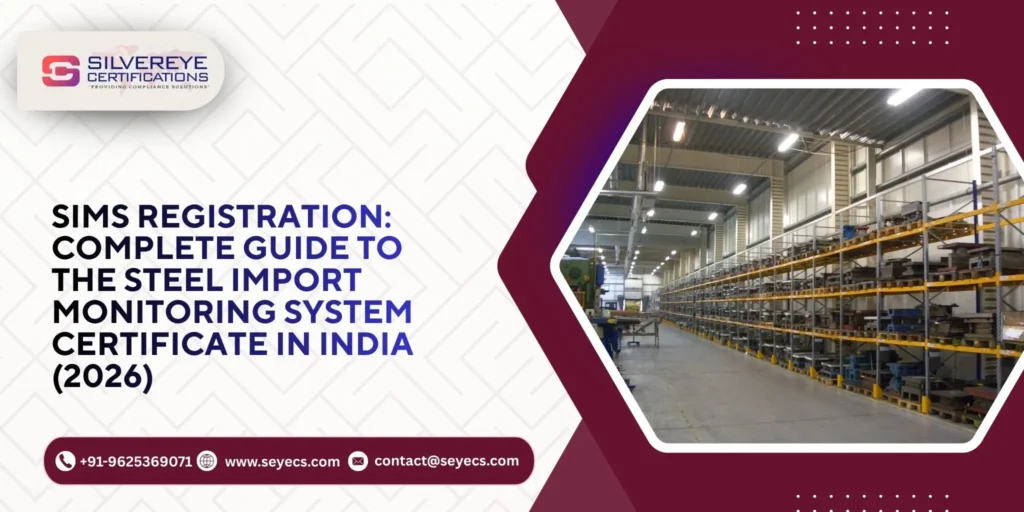
SIMS Registration (Steel Import Monitoring System) is a mandatory pre-import registration that every importer of steel and steel products must complete on the DGFT SIMS portal before their shipment reaches India. Launched by the Ministry of Steel and now upgraded to SIMS 2.0, it is not a license — it's an advance-information requirement covering steel items under Chapters 72, 73, and 86 of the ITC(HS).
Importers register using their IEC number, pay a fee starting at ₹500, and receive an Automatic Registration Number (ARN) valid for 75 days, which must be quoted during customs clearance.
What Is SIMS (Steel Import Monitoring System) Registration?
The Steel Import Monitoring System, commonly called SIMS, is an online pre-import registration platform run by the Ministry of Steel and the Directorate General of Foreign Trade (DGFT), Government of India. SIMS registration was first introduced with effect from November 1, 2019, through DGFT Notification No. 17/2015-2020 dated September 5, 2019, making advance registration compulsory for steel-related imports into India.

The system was later upgraded to SIMS 2.0, which went live on July 25, 2024, replacing the original SIMS 1.0 portal with a more streamlined, fully digital process. The core purpose of SIMS registration has not changed: it allows the government to maintain a constantly updated, advance database of steel imports entering the country. This data is compiled and published on the Ministry of Steel website roughly every week, giving industry stakeholders, policymakers, and importers visibility into import trends.
It is important to understand what SIMS is not. A SIMS certificate or registration number is not an import license in the traditional sense — the import policy for covered steel items is classified as "Free, but subject to compulsory registration under SIMS." In plain terms, you don't need government approval to import the goods, but you do need to register the shipment details in advance.
Why SIMS Registration Matters: Key Benefits
SIMS registration exists to bring transparency and predictability to India's steel trade. Understanding the benefits helps importers see why compliance is worth building into their shipment timeline rather than treating it as paperwork.
- Faster customs clearance: A correctly filed SIMS registration reduces the chances of your Bill of Entry being flagged or held up for missing information.
- Real-time government monitoring: Advance data submission helps the Ministry of Steel track import volumes, countries of origin, and pricing trends closer to real time.
- Protection against substandard steel: Combined with BIS certification requirements, SIMS registration supports the government's efforts to prevent the entry of non-conforming or dumped steel products.
- Public data access: Aggregated SIMS data is published for stakeholders, giving traders, manufacturers, and analysts a clearer picture of the domestic steel import market.
- Support for domestic industry: By tracking import patterns closely, SIMS registration helps policymakers respond faster to unfair trade practices affecting Indian steel producers.
Who Needs SIMS Registration? (Eligibility)
SIMS registration eligibility is broad and applies to nearly every entity involved in bringing steel goods into India. You need SIMS registration if you are:
- An importer or importing company bringing in steel products classified under Chapters 72, 73, or 86 of the ITC(HS).
- A customs broker or importer's agent filing the Bill of Entry on behalf of an importer.
- A business importing steel for manufacturing, trading, construction, or infrastructure use — SIMS applies regardless of end use.
- An SEZ or EOU unit clearing steel goods into the domestic tariff area (OTA), which follows the same advance registration window as regular imports.
The one non-negotiable prerequisite is a valid Import Export Code (IEC). Without an active IEC, you cannot create a SIMS registration or generate an Automatic Registration Number (ARN).
Steel Products Covered Under SIMS Registration
SIMS registration applies to a wide basket of iron and steel products. The exact classification is based on HS (Harmonised System) codes, and importers should always cross-check their product's specific HS code against the current list published on the SIMS portal, since the coverage list is periodically revised.
| ITC(HS) Chapter | Product Category (Indicative) |
| Chapter 72 | Iron and steel — primary and semi-finished products, bars, rods, coils, plates, sheets |
| Chapter 73 | Articles of iron or steel — pipes, tubes, structures, fittings, and fabricated steel goods |
| Chapter 86 | Select steel components used in railway and tramway equipment |
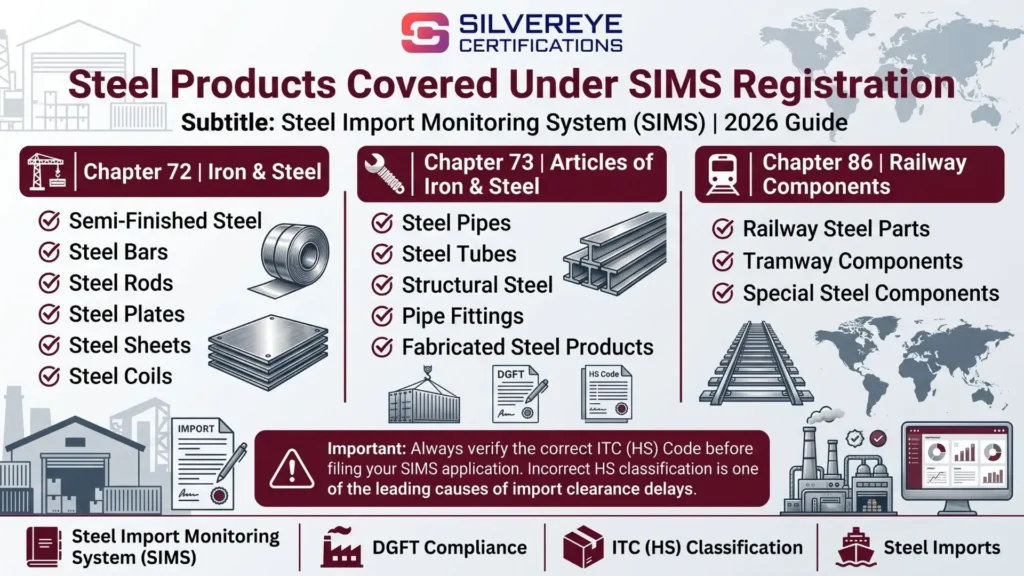
A special note applies to steel scrap and select items under HS Code heading 7204: these follow a distinct advance-registration timeline rather than being fully exempt from SIMS. Always verify your product's HS code carefully — an incorrect classification is one of the most common reasons for delays.
Documents Required for SIMS Registration
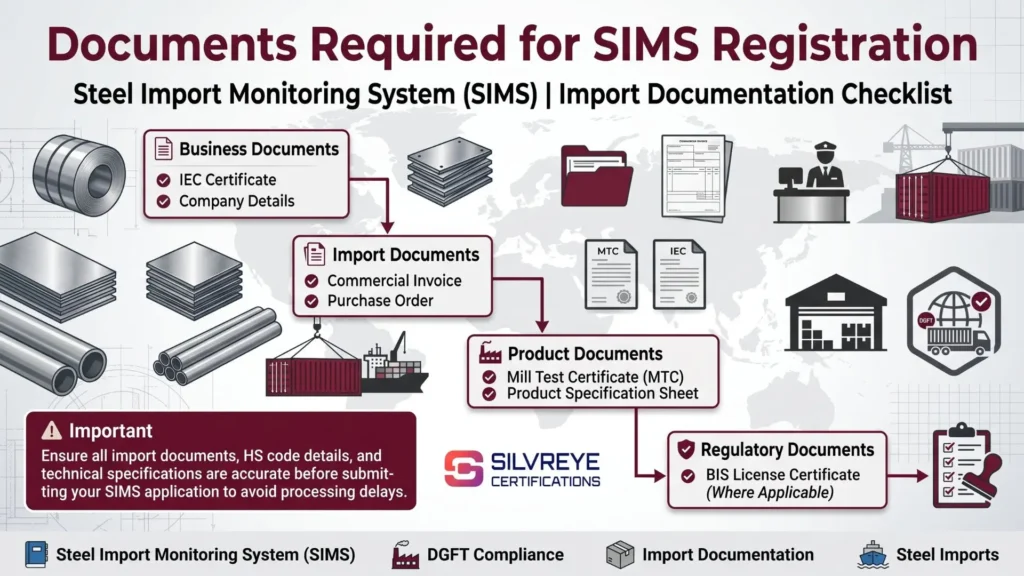
Keeping the following documents ready before you start your SIMS registration will help you avoid last-minute rejections or delays:
- IEC Certificate: Your valid Import Export Code, which is the primary identifier used to log in to the SIMS portal.
- Commercial Invoice or Purchase Order: Details of the transaction, including quantity, description, and declared value.
- Mill Test Certificate (MTC): Confirms the technical specifications and quality parameters of the steel product.
- Product Specification Sheet: Technical data supporting the HS code classification you're declaring.
- BIS License Certificate (where applicable): Mandatory for steel products covered under a Quality Control Order (QCO).
- Company and Contact Details: Business address, PAN/EIN or Customs ID, and a working email and phone number for both headquarters and any branch office applying for registration.
Step-by-Step SIMS Registration Process
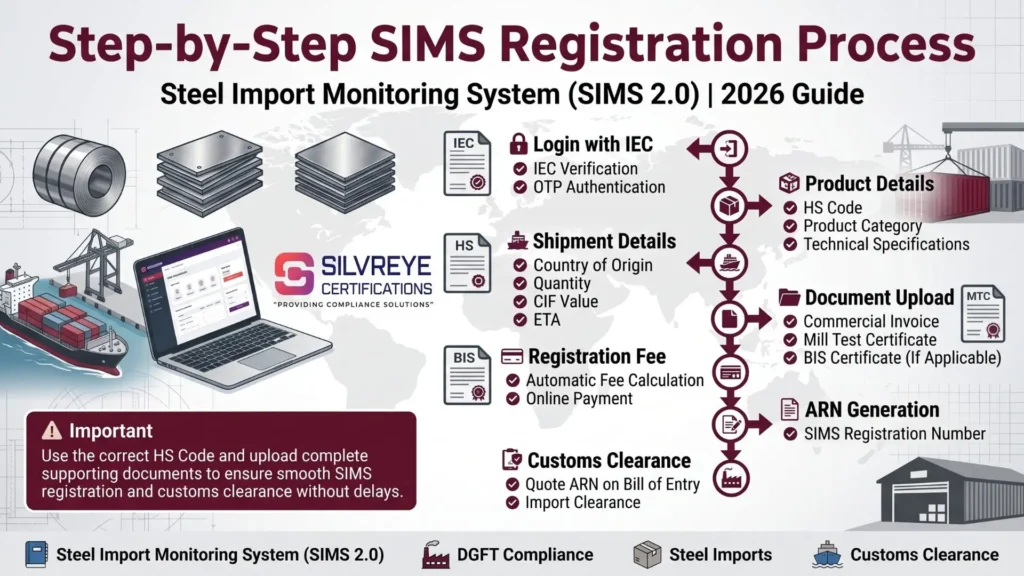
The SIMS 2.0 registration process is entirely online and does not require sending any physical documents to the government. Here's how it works:
- Log in with your IEC: Access the SIMS portal and enter your IEC number along with the captcha to generate a one-time password (OTP) sent to your registered email and phone.
- Enter product and HS code details: Fill in the correct 8-digit HS code, product category, and technical specifications for the steel item you're importing.
- Add shipment details: Provide the country of origin, country of melt and pour, quantity, declared CIF value, and expected date of arrival.
- Upload supporting documents: Attach the invoice or purchase order, Mill Test Certificate, and BIS certificate (if the product falls under a QCO).
- Pay the registration fee: Fees are calculated automatically based on the CIF value of the covered steel portion of your shipment.
- Submit and generate your ARN: Once payment is confirmed, the portal generates an Automatic Registration Number (ARN/URN) — this is your SIMS certificate for that shipment.
- Quote the ARN at customs: Provide the ARN to your customs broker so it can be referenced on the Bill of Entry during clearance.
Important: Once a SIMS application is submitted, it cannot be edited. If any shipment detail changes, you must file a fresh registration rather than amend the existing one — so double-check every field before final submission.
SIMS Registration Fees
| Fee Component | Detail |
| Rate | Re. 1 per ₹1,000 of the covered steel portion's CIF value |
| Minimum Fee | ₹500 per registration |
| Maximum Fee | ₹1,00,000 per registration |
| Refund Policy | Non-refundable, even if the import is later cancelled or does not take place |
| Low-Value Provision | Simplified handling may apply where the covered steel value in a single entry is minimal — confirm current provisions on the SIMS portal |
Validity, Renewal, and Timeline of SIMS Certificate
- Validity period: An Automatic Registration Number (ARN) generated under SIMS is valid for 75 days from the date of registration.
- Multiple consignments: A single ARN can cover more than one consignment of the same product from the same country of origin, as long as it's used within the 75-day validity window.
- No formal "renewal": SIMS registration doesn't have a renewal process in the traditional sense. If your ARN lapses before the shipment arrives, or if shipment details change, you need to file a new registration.
- Bill of Entry linkage: Your ARN needs to be referenced at the time of filing the Bill of Entry with Customs, so it's good practice to keep your customs broker updated with the ARN as soon as it's generated.
Advance Registration Timeline (2026 Update)
The Ministry of Steel revised the advance registration timeline through Notice No. S-21022/9/2025-TRADE-TAX, dated February 19, 2026, effective from February 20, 2026. This notice supersedes earlier timelines issued in June, August, and September 2025, so importers relying on older guidance should switch to the rules below.
| Import Category | Registration Window |
| Imports from Nepal, Bhutan, and Sri Lanka | Not earlier than 60 days and not later than 2 days before expected arrival |
| Imports from all other countries | Not earlier than 60 days and not later than 3 days before expected arrival |
| Specific HS codes under Heading 7204, ITC(HS) 2022 | Not earlier than 60 days and not later than 2 days before expected arrival |
| Imports from SEZ/EOU into the domestic tariff area (OTA) | Not earlier than 60 days and not later than 2 days before expected arrival |
As a practical rule of thumb, most compliance consultants recommend registering 10–15 days ahead of the minimum window to leave room for document corrections, HS code verification, or unexpected changes to the shipment schedule.
SIMS Registration vs. BIS Certification: What's the Difference?
A common point of confusion is treating SIMS registration and BIS certification as the same requirement. They serve different purposes and are both often needed together.
| Aspect | SIMS Registration | BIS Certification |
| Nature | Advance information / pre-import registration | Product quality and safety certification |
| Issued By | DGFT / Ministry of Steel | Bureau of Indian Standards (BIS) |
| Is it a license? | No — it's a mandatory declaration | Yes — it's a compliance license under a QCO |
| Validity | 75 days per Automatic Registration Number | Typically issued for a longer, renewable term |
| Applies To | Steel items under Chapters 72, 73, 86 | Specific steel products notified under Quality Control Orders |
In practice, SIMS registration alone will not guarantee customs clearance. If your specific steel product falls under a BIS Quality Control Order, you also need valid BIS certification — without it, the shipment can be held, rejected, or asked to be re-exported even if your SIMS registration is in order.
Common Mistakes to Avoid During SIMS Registration
- Incorrect HS code: Misclassifying your product is the most frequent cause of delays, penalties, or shipment holds.
- Late registration: Missing the advance-registration window forces importers to either delay the shipment or scramble for last-minute compliance.
- Data mismatch: Any gap between the quantity, value, or product description on your SIMS registration and your actual shipment documents can trigger customs verification.
- Ignoring BIS requirements: Assuming SIMS registration is sufficient when your product also needs BIS certification under a QCO.
- Trying to edit a submitted application: Since SIMS applications can't be modified after submission, attempting to "fix" an error post-submission wastes time — file a fresh registration instead.
Penalties for Non-Compliance SIMS Registration
Importing steel without a valid SIMS registration, or with incorrect information, can lead to real business costs:
- Shipment hold at the port until compliance is completed.
- Demurrage and container storage charges that accumulate during the delay.
- Possible re-export or rejection of non-compliant goods.
- Punitive action and financial penalties for importers who skip registration or submit incorrect details.
Conclusion
SIMS registration is a small but non-negotiable step in India's steel import process. It doesn't replace your IEC or your BIS certification — it works alongside them as an advance-information requirement that keeps your shipment moving smoothly through customs. Getting the HS code right, registering within the current 2026 timeline, and keeping your documents consistent across SIMS, invoices, and BIS records is the simplest way to avoid delays, demurrage, and penalties.
Given how often the Ministry of Steel updates advance-registration timelines, it's worth checking the official SIMS portal or a recent notification before every shipment rather than relying on last year's rules.
Frequently Asked Questions
Is SIMS registration mandatory for all steel imports into India?
Yes. Since November 1, 2019, SIMS registration has been compulsory for all steel products falling under the HS codes notified by the Ministry of Steel, primarily under Chapters 72, 73, and 86 of the ITC(HS).
Is a SIMS certificate the same as an import license?
No. SIMS registration is a mandatory pre-import declaration, not a license. The import policy for covered items is "Free, but subject to compulsory registration under SIMS," meaning you don't need government approval to import — just advance registration.
How long is a SIMS registration (ARN) valid?
The Automatic Registration Number generated after SIMS registration is valid for 75 days from the date of registration.
What is the SIMS registration fee?
The fee is calculated at Re. 1 per ₹1,000 of the covered steel portion's CIF value, subject to a minimum of ₹500 and a maximum of ₹1,00,000 per registration.
Can I modify my SIMS application after submitting it?
No. Once a SIMS application is submitted, it cannot be edited. If shipment details change, you need to file a fresh SIMS registration.
How early should I apply for SIMS registration?
As per the Ministry of Steel notice effective February 20, 2026, you can register up to 60 days before your shipment's expected arrival, and must register at least 2–3 days before arrival depending on the country of origin. Applying 10–15 days in advance is a safer practice.
Do I also need BIS certification along with SIMS registration?
For many steel products, yes. If your product falls under a BIS Quality Control Order (QCO), you need valid BIS certification in addition to SIMS registration — SIMS alone will not clear customs for such items.
What happens if I import steel without SIMS registration?
Your shipment can be held at the port, attract demurrage and storage charges, face possible re-export or rejection, and you may be liable for punitive action for non-compliance.
Can one SIMS registration cover multiple shipments?
A single Automatic Registration Number (ARN) can be used for multiple consignments of the same product from the same country of origin, as long as this happens within its 75-day validity period.
Where can I check which HS codes are covered under SIMS?
The current list of HS codes and product categories covered under SIMS is available on the official SIMS portal and the Ministry of Steel website. Always verify your specific HS code there, since coverage is periodically updated.
Who is eligible to apply for SIMS registration — only the importer?
Any importer, importing company, customs broker, or importer's agent with a valid IEC and, where applicable, a U.S.-style street address requirement (for related import-licensing systems) can register. In India's SIMS system, the IEC holder or their authorized customs broker typically completes the registration.
Is the SIMS registration fee refundable if my shipment is cancelled?
No. The SIMS registration fee is non-refundable, even if the import ultimately does not take place.